
Most checkout instructions fail for the same reason: they read like a chore list. Fifteen items in a tone that says “don’t disappoint us,” sent the morning of departure to a guest who is already packing. The result is a guest who follows almost none of it and rates your communication a 3.
The counterintuitive fix is to ask for less. Airbnb explicitly warns hosts against “excessive checkout tasks” — guests can now flag them in reviews, and listings that keep getting flagged can lose visibility or be removed from the platform. Short, respectful checkout rules get followed. Long ones make guests resent you. This guide covers exactly what to include, what to leave out, when to send it, and how it works across every major platform we host on.
Good Airbnb checkout instructions are short — usually 4 to 6 items — and focus on what actually matters: the checkout time, trash, turning appliances off, locking up, and a quick “we’ve left” message. Skip anything that reads like housework. Airbnb penalises hosts for excessive checkout tasks, and guests ignore long lists anyway. Use Airbnb’s built-in Checkout Instructions field (400-character limit), send one polite reminder around checkout day, and paste the same short list into your other platforms.
On this page
- What Airbnb checkout instructions are
- Why “less is more” is the actual rule
- The 5 rules to include (and 3 to skip)
- Copy-paste checkout instructions
- When and how to send them
- Where they live on each platform
- Handling late checkout requests
- Mistakes that make guests ignore your rules
- FAQ
What are Airbnb checkout instructions?
Airbnb checkout instructions are the short list of things you ask guests to do before they leave your property — checkout time, trash disposal, turning appliances off, locking up — plus how to let you know they’ve gone. On Airbnb specifically, they live in a dedicated field in the Listing editor (under your Arrival guide) that shows up in the guest’s Trips tab and triggers an automatic reminder from Airbnb the day before departure.
On Booking.com, Vrbo, Agoda, and Trip.com, there is no dedicated checkout instructions field the way Airbnb has one — you put the same information into your property description or house manual, and back it up with a message-thread reminder. Whatever platform you host on, checkout instructions are guest-facing content. They are not your own turnover cleaning checklist. That is a different document, for a different audience (you or your cleaner), doing a different job.
Why “less is more” is the actual rule for checkout instructions
The single most useful change Airbnb made to the checkout experience is also the one most hosts have not noticed: guests can now specifically flag “excessive checkout tasks” when they rate a stay. Airbnb has said publicly that listings receiving repeated low ratings for unreasonable checkout tasks may be removed. Their own guidance for hosts says plainly: “Guests expect an easy checkout without any cleaning tasks.”
That is a policy shift with real consequences. A long checkout list is no longer just annoying to guests — it can cost you your listing. And guest behaviour makes the case even without the policy risk: a first-time guest, packing at 11 a.m., will do three simple things well. They will look at eight items, do the two that are obvious, and skip the rest. The more you ask, the less compliance you actually get. Short lists get respected. Long lists get ignored.
The mindset shift is uncomfortable at first, especially if you clean the property yourself. You know exactly how much of your time a “please rinse the dishes” line would save. But if you charge a cleaning fee — and most hosts do — that fee is what covers the reset. Anything that reads like housework crosses a line that both Airbnb and your guests now enforce.
The 5 rules to include (and 3 to skip)
After hosting our own condo on Airbnb, Booking.com, Vrbo, Agoda, and Trip.com, we have narrowed our checkout list to exactly four items — five if you count the checkout time. That is the whole message. It fits on a printed card inside the unit and inside Airbnb’s 400-character field with room to spare.
Include these 5:
- Checkout time — with a reason attached. “Please check out by 12:00 noon so our team can prepare the unit for the next guest.” Adding the reason makes compliance jump. “Check out by noon” gets ignored. “Check out by noon so our cleaner can start” gets respected.
- Trash — where it goes. One line: exact location. “Please leave any trash in the garbage room near the fire exit.” Not a sorting protocol, not a recycling schedule — a location.
- Appliances off. Aircon, lights, kettle, anything that runs. Frame it as courtesy and safety, not as a chore: “Please switch off the air-conditioner and any other appliances before you leave.”
- Lock up (and return anything they were given). This is the single most important item and the one most hosts under-emphasise. “Please make sure the door is locked when you leave, and hand your IDs back to the guard on the way out.”
- Message when done. “Please send us a quick message once you’ve checked out.” It closes the loop, tells you when to send the cleaner in, and gives you a friendly moment to thank them.
The “lock up” line is not theoretical. A guest at our condo once checked out earlier than expected and did not fully close the door on the way out. The unit sat unlocked for a few hours before we found out. Nothing was taken and nothing was damaged — that time. Since then, “please make sure the unit is locked before you leave” is a non-negotiable line in our checkout instructions, on the printed card inside the unit, and in the message-thread reminder we send on checkout morning.
Skip these 3 (Airbnb specifically discourages them):
- Stripping beds or starting laundry. This is your cleaner’s job — you charge a cleaning fee for it. Asking guests to do it is a fast track to an “excessive checkout tasks” flag.
- Washing dishes. We do not ask guests to wash dishes at our rental, and interestingly, most of them wash their own anyway. Requiring it in writing is what tips the perception into “they want me to clean their apartment for them.” Leave dish soap and a sponge visible; guests who care will use them.
- Mopping, vacuuming, or any deep cleaning. This is unambiguously your cleaner’s job. Do not put it in writing. Do not hint at it. Guests will notice, and platforms will notice.
If you find yourself thinking “but they should…” as you read this list, that is the exact instinct Airbnb’s policy is now designed to correct. The fee covers the reset. Your job is to make sure guests leave the property in a normal, respectful state, not to outsource turnover work to them.
Copy-paste checkout instructions
Three versions we actually use. Adapt freely.
Compact version for Airbnb’s field (under 400 characters)
Airbnb caps the checkout instructions field at 400 characters, so this is the discipline the platform forces on you. Good — that constraint produces better instructions.
Check-out: 12:00 noon.
1. Please dispose of trash in the garbage room near the fire exit.
2. Please switch off the air-conditioning and all appliances.
3. Please make sure the unit is locked before you leave, and return your ID to the guard.
4. Send us a quick message once you're out — safe travels!
Message-thread version (morning-of reminder)
The same information, warmed up slightly for a person reading it on their phone with a coffee in the other hand.
Hi {guest_first_name}, hope you had a great stay!

A quick reminder for checkout at 12:00 noon:
• Trash goes in the garbage room by the fire exit
• Please switch off the aircon and other appliances
• Make sure the door is locked and return your ID to the guard on the way out
• Send us a quick message when you're on your way — we'll take it from there

Thanks for staying with us, and safe travels!
Printed card inside the unit
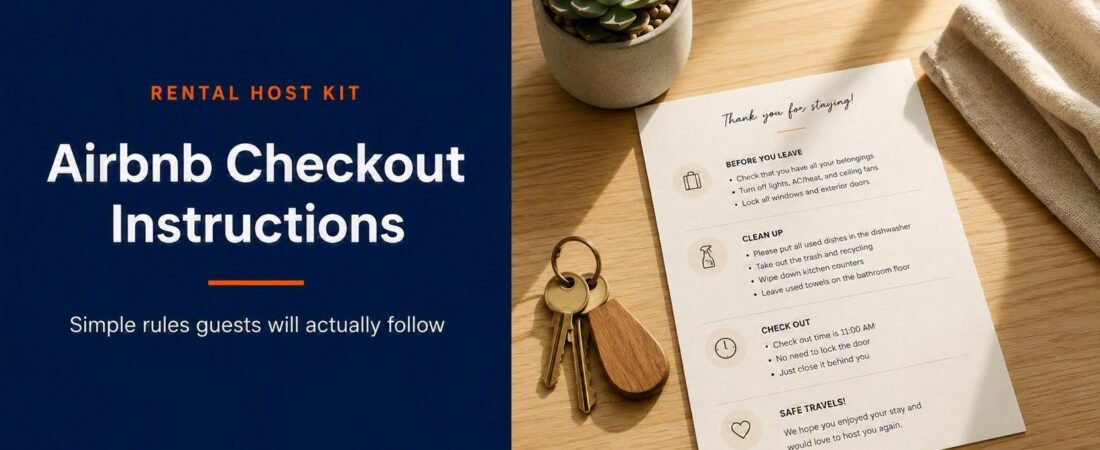
The same list, printed and left in a visible spot inside the property — usually beside the front door or on the kitchen counter. This is the version guests read while they are actually packing, which is when compliance actually happens. Keep the tone warm, and end with a genuine thank-you.
What these three versions have in common: they are the same rules, written slightly differently for where the guest sees them. That consistency is the whole trick — one master list, three formats, zero mixed messages.
Get the checkout messages pre-written
The Guest Experience Pack combines the Guest Message Template Pack, the Check-In Guide Template, and the House Rules Template. The messaging pack includes ready-to-send checkout reminders — the exact wording, in the same voice — that you can paste straight into Airbnb’s scheduled messages and adapt for every other platform. All three together for less than the price of one bad review.
Get the Guest Experience Pack — $47
Editable DOCX + PDF · Instant download · Works on every platform
When and how to send checkout instructions
Send too early, and the guest loses your message under a week of inbox noise. Send too late, and they are already at the door with a suitcase. The sweet spot is a small stack of light touches at the right moments:
- At booking confirmation: one line about checkout time in the welcome message, so it is on their radar from day one. No detailed list yet — they are not thinking about departure the day they book.
- Inside the unit (printed card): the full short list, in a visible spot, so it is right there when they are actually packing. This is our highest-compliance format.
- Airbnb’s automatic reminder: if you fill in Airbnb’s checkout instructions field, the platform sends guests a push notification with your checkout time and instructions at 5:00 p.m. the day before checkout, in the local time zone of the stay. This only works if the guest has the Airbnb app installed and notifications enabled — treat it as a bonus, not a substitute.
- Morning of checkout: one short scheduled message on the platform’s message thread, sent around 8 a.m. This is the reminder guests actually read.
That last one is the highest-return message you will ever automate. Write it once, schedule it for every future booking, and it works while you sleep. Some hosts prefer to send it the evening before instead of checkout morning — either works, and there is a case for the evening because it gives guests more planning runway. Our own default is 8 a.m. on checkout day because we want the message to be the top of their inbox when they wake up. Test both and keep whichever gets fewer late-checkout messages back.
Where checkout instructions live on each platform
Airbnb is the only major platform with a dedicated, structured checkout instructions field. On every other platform, the fields you use are less specific — but the content of your checkout list should be identical everywhere. The whole point of a short, universal list is that one master template gets pasted into all five platforms with no changes.
| Platform | Where checkout instructions live | Reminder mechanic |
|---|---|---|
| Airbnb | Listing editor → Arrival guide → Checkout instructions (5 preset tasks + custom text, 400-char limit) | Automatic push notification 5 p.m. the day before checkout (in stay’s local time zone), if guest has the app + notifications enabled |
| Booking.com | Property description / House rules / Fine print; also the House Rules field on the extranet | No native pre-checkout reminder — send via the message inbox |
| Vrbo | Property description and Rules section on your listing; House Manual if you use one | No native pre-checkout reminder — send via the message thread |
| Agoda | Property description / Important information / policies fields on the YCS extranet | No native pre-checkout reminder — send via the message inbox |
| Trip.com | Property description / important-information fields on Ebooking | No native pre-checkout reminder — send via the message inbox |
The takeaway: one short master list, pasted everywhere, backed up by a message-thread reminder on checkout day. Platform dashboards change frequently, so verify where the fields live in your current listing editor before you paste — but the content should not need to change per platform.
How to handle late checkout requests
Late checkout is a small decision that hosts overthink. There are three reasonable policies, and any of them is fine as long as you apply it consistently:
- Free late checkout when there is no next check-in. This is our approach. If nobody is arriving the same day, we grant a couple of extra hours for free — it costs us nothing and buys a lot of goodwill. If there is a same-day arrival, the standard 12 p.m. checkout is firm and non-negotiable, and we say so politely.
- A fixed late-checkout fee. Some hosts charge a small hourly rate for a confirmed late checkout. Airbnb does not have a native late-checkout fee toggle — you either send a resolution centre request or agree it in the message thread. Make the fee proportional; anything punitive will show up in a review.
- Firm 12 p.m. every time. Perfectly acceptable if your turnover window is tight and consistency matters more to you than case-by-case flexibility. Just make sure your checkout time is prominent everywhere so the “I didn’t know” reply is not available to guests.
Whichever policy you pick, put it in your house rules and mention it in the morning-of message. Late checkout requests do not damage reviews — silent refusals do. Reply promptly, be clear, and be human.
Mistakes that make guests ignore your checkout rules
- Writing a chore list, not a checkout list. The moment your instructions cross into cleaning tasks, guests stop taking them seriously — and Airbnb’s excessive-tasks flag becomes a real risk.
- Sending them at the wrong time. Sent at booking, the list is buried. Sent at 11:55 a.m. on checkout morning, it is too late to act on. Aim for the day-before-through-morning-of window.
- A punitive tone. “Failure to comply will result in additional charges” is the fastest way to earn a 3-star communication rating from an otherwise happy guest. Ask, don’t threaten.
- No reason attached. “Check out by noon” is a rule. “Check out by noon so the cleaning team can prepare for the next guest” is a favour someone is happy to do.
- Different rules on different platforms. If your Airbnb and Booking.com listings disagree, guests notice — and one of them is definitely wrong. Keep one master list.
- Skipping the “message us when you leave” line. It is a small courtesy that closes the loop, tells you when to send in the cleaner, and gives you a friendly last exchange to lead into a review.
Grab the free New Host Launch Checklist
Checkout instructions are one piece of a much bigger system. Our free launch checklist walks you through everything you need to set up before — and after — your first booking, step by step, across every major platform.
Once your checkout system is running, the next step is what happens the moment the guest walks out the door — the turnover clock starts, and the cleaning system takes over. Our complete cleaning checklist covers the room-by-room turnover we run at our rental, and if you want that plus the maintenance checklist and booking tracker in one bundle, they live together in our Property Operations Pack — the full back-of-house toolkit for keeping a rental running smoothly.
Frequently asked questions
What is the standard Airbnb checkout time?
You set your own checkout time — it is not fixed by Airbnb. Most hosts choose somewhere between 10 a.m. and 12 p.m., balancing guest convenience against how much turnover buffer they need before the next check-in. Our own rental uses 12 p.m. checkout with a 2 p.m. check-in, which gives our team a two-hour clean window. Whatever you pick, put it in the checkout instructions field on Airbnb and mirror it on every other platform.
Should I ask guests to strip beds, do laundry, or wash dishes before checkout?
No. Airbnb explicitly discourages these — guests can flag “excessive checkout tasks” in reviews, and listings that keep getting flagged risk removal. Stripping beds, running laundry, mopping, and mandatory dish-washing all read as housework being pushed onto a paying guest, especially if you charge a cleaning fee. Ask for the essentials (trash, appliances off, lock up, message when done) and leave the reset to your cleaner.
Can I charge for late checkout on Airbnb?
Yes, but there is no native late-checkout fee toggle in the Airbnb dashboard. You either agree the fee in the message thread and send a Resolution Centre request, or you keep late checkout free when possible and firm when not. Whatever you decide, publish the policy in your house rules so guests can see it before they book.
Do I need different checkout instructions for Booking.com, Vrbo, Agoda, and Trip.com?
No. The checkout tasks themselves are identical — a good short list works everywhere. What differs is where you put the instructions on each platform, since only Airbnb has a dedicated checkout instructions field. On the others, use the property description or house rules field and send the same reminder via the message inbox on checkout day.
How long should Airbnb checkout instructions be?
Short. Airbnb caps the field at 400 characters, and that is the right length. In practice, four to six short items is enough: checkout time, trash, appliances off, lock up, and “message us when you leave.” If yours is much longer than that, you are almost certainly asking guests to do things your cleaning fee should cover — which is exactly what Airbnb’s excessive-tasks policy is designed to discourage.
What if a guest ignores my checkout instructions?
One guest ignoring instructions is a data point, not a crisis. If it caused real damage or a real cost — trash left in the unit that pushed your turnover late, an unlocked door, a broken appliance — document it with photos and use the platform’s resolution centre. If it was small (trash bag left inside the bin instead of at the disposal room), let it go and treat it as a signal to make that one instruction clearer next time. Reviews are your long-term feedback loop; use them.
Should I ask guests to leave a review at checkout?
You can politely ask, but never suggest a specific star rating — that crosses Airbnb’s review-manipulation line and can get your listing penalised. A soft “we’d love it if you could leave a review of your stay” at the end of your checkout card or thank-you message is the appropriate ask. For the full playbook, see our guide to earning better reviews without ever asking for a star rating.
This article is educational content only — not legal, tax, financial, insurance, or platform-policy advice. Airbnb and other platforms change their dashboards, fields, and policies regularly; always verify current field locations and rules in your own listing editor before publishing. Local short-term rental regulations vary by city and country and may impose requirements beyond anything covered here. Nothing on this page guarantees any specific occupancy, revenue, review, or ranking outcome.