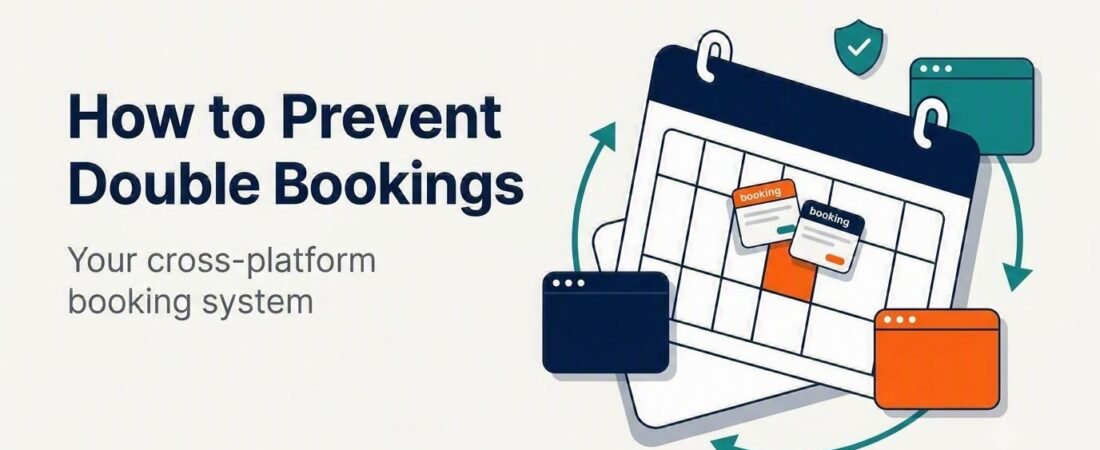
How to Prevent Double Bookings (and Build a Cross-Platform Booking System)
It’s the risk that scares every new host: two guests, the same dates, one property. Here’s exactly how double bookings happen, how to stop them — and the honest story of the one time it happened to me across five platforms.
Double bookings happen when two platforms accept reservations for the same dates before your calendars finish syncing. To prevent them, connect your calendars so availability updates automatically across every channel. The most reliable method is a channel manager with direct connections to each platform — it blocks dates everywhere within seconds. Free iCal calendar links also work and cost nothing, but they sync on a delay, which leaves a short window where a clash can slip through. That gap is exactly how I got double-booked once between Booking.com and Trip.com, despite syncing my calendars by hand. The fix is matching your sync method to how many platforms you run and how busy you are — and keeping one master view as a backstop.
What is a double booking — and why it’s the risk new hosts fear most
A double booking is when two separate guests both hold a confirmed reservation for the same dates at the same property. One of them has to be cancelled — and that’s where the damage starts.
Unlike most hosting mistakes, a double booking forces a host-initiated cancellation, and platforms treat those harshly. Depending on the platform, cancelling on a guest can mean a cancellation fee, a blocked calendar for those dates, a dent in your search ranking, an automated review note telling future guests you cancelled, and the loss of Superhost or Premier Host status. Beyond the platform penalties, there’s the part no policy covers: a real person who planned a trip around your place now has nowhere to stay.
The risk grows with every platform you add. On a single channel, the platform manages its own calendar and clashes are nearly impossible. The moment your one property is bookable in two or more places at once — Airbnb, Booking.com, Vrbo, Agoda, Trip.com — those calendars have to talk to each other constantly, and any lag between them is a window for two guests to book the same nights.
Why double bookings actually happen: the calendar sync delay
Most double bookings aren’t caused by carelessness. They’re caused by timing.
When you list on more than one platform, you keep their calendars in sync one of two ways: free iCal calendar links, or a paid channel manager. The critical difference is how fast each one updates.
iCal links work by having each platform periodically check the others’ calendars and import any new blocked dates. The key word is periodically. These imports don’t happen the instant a booking comes in — they run on a refresh cycle that’s typically every few hours and is never guaranteed to be immediate. So picture this sequence:
- A guest books your place on Booking.com at 2:00 PM. Those dates are now blocked on Booking.com.
- But your other platforms won’t import that block until their next iCal refresh — which could be a couple of hours away.
- During that gap, your calendar on Trip.com (or Vrbo, or Agoda) still shows those dates as available.
- If a second guest books those same nights before the sync catches up, you now have two confirmed reservations for one property.
That refresh-cycle gap is the single biggest cause of double bookings for multi-platform hosts. It isn’t a bug you did wrong — it’s a built-in limitation of how free calendar links work. And occasionally the delay isn’t on your side at all: a platform’s own sync can lag or hiccup, which is precisely what happened to me.
The time I got double-booked between Booking.com and Trip.com
My one-bedroom runs on five platforms at once — Airbnb, Booking.com, Vrbo, Agoda, and Trip.com — and for a long time I synced them with manual iCal links. It worked fine, right up until it didn’t.
One set of dates got booked on Booking.com. Those dates were blocked correctly on my end. But Trip.com’s calendar sync lagged and never picked up the block in time — so Trip.com still showed those nights as open, and a second guest booked them. Same property, same dates, two confirmed reservations.
Here’s how I handled it, because the resolution matters as much as the cause. I acted fast and I didn’t hide. I messaged the Trip.com guest directly, apologized, and explained honestly what had happened: a calendar sync delay on my end. Their main concern was simple and fair — they just wanted to be made whole. So I issued a full refund, and the whole thing resolved smoothly without it turning into a dispute or a bad review.
Then I did the step most hosts skip: I raised a support ticket with Trip.com explaining the sync delay. They investigated and fixed it on their side. That exact scenario has never happened again in the time since.
The lesson I took from it: even careful, manual calendar management has a gap you can’t fully close by being diligent — and sometimes the lag is on the platform, not you. If you’re running more than a couple of channels, you want sync that doesn’t depend on a refresh cycle, plus a habit of catching problems early and handling them honestly when they slip through.
How to prevent double bookings: your three layers of protection
Preventing double bookings isn’t one switch you flip — it’s a few layers that back each other up. Here they are, in order of how much protection they give you.
Layer 1 — Automatic sync (the foundation)
This is the layer that actually prevents clashes, and you have two options:
A channel manager (most reliable). A channel manager connects directly to each platform and updates availability across all of them within seconds of a booking — no refresh-cycle gap to slip through. For hosts on three or more platforms, or anyone with steady booking volume, this is the safest setup and the one I’d point you toward. I compare two popular beginner-friendly options below.
iCal calendar links (free, but delayed). Every major platform lets you export a calendar link and import the others’ links for free. It’s the right starting point if you’re on just one or two platforms and you’re not booking constantly. Just go in knowing the limitation: the sync runs on a delay, so it reduces double bookings rather than eliminating them. If you use iCal, the habits in Layers 2 and 3 matter even more.
Layer 2 — A master booking view (your cross-check)
Whichever sync method you use, keep one place where every reservation across every platform lives in a single view. This is your manual safety net: it lets you eyeball your real availability at a glance and catch a clash the automated sync might miss — especially on platforms like Agoda or Trip.com that don’t always play as nicely with calendar links. A simple spreadsheet does the job perfectly, and it doubles as your income-per-platform tracker.
Layer 3 — Buffers and a daily habit
Two small habits close most of the remaining risk:
- Add a turnover buffer. Setting a preparation day (or even just same-day-checkout rules) between stays gives your calendars more breathing room to sync and gives you time to clean. It quietly shrinks the window where a clash can land.
- Check your master view daily. Thirty seconds each morning glancing at upcoming dates across platforms will catch a sync problem while it’s still fixable — before a second guest books, not after.
Build a simple cross-platform booking system, step by step
Here’s how to put those layers together into a system you can set up once and trust:
- Choose your sync method. One or two platforms and light volume? Start with free iCal links. Three or more platforms, or you value your time and peace of mind? Set up a channel manager from the start.
- Connect every platform. If you’re using iCal, export each platform’s calendar link and import it into all the others — every platform needs to see every other platform. If you’re using a channel manager, connect each listing through its dashboard and let it handle the links for you.
- Set up your master view. Create one spreadsheet (or use a ready-made tracker) listing every reservation, the platform it came from, the dates, and the payout. This is your single source of truth.
- Add a turnover buffer. Decide on your minimum gap between stays and set it consistently across platforms.
- Build the daily check habit. A quick glance each morning. That’s the whole maintenance routine.
Get the free New Host Launch Checklist
A booking system is one piece of a bigger launch. Grab the free, step-by-step checklist that walks you through setting up your first listing the right way — calendars, pricing, messaging, and check-in, all in order. No overwhelm, just the essentials.
Channel manager vs iCal links: which should you use?
This is the decision most hosts get stuck on, so here’s a clear rule of thumb.
Free iCal links are enough when: you’re on one or two platforms, you don’t book back-to-back constantly, and you’re comfortable doing a daily calendar check. For a brand-new host testing a single platform, there’s no reason to pay for anything yet.
You’ve outgrown iCal and want a channel manager when: you’re on three or more platforms, your booking volume is steady enough that a few hours of sync delay is a real risk, or you simply don’t want to babysit calendars manually. This was my own tipping point — running five platforms on manual links is exactly the setup that eventually caught me.
Two channel managers come up again and again for new and growing hosts:
- Hospitable — strong on automated guest messaging alongside calendar sync, and popular with hosts who want messaging and bookings handled in one place.
- Smoobu — an all-in-one channel manager with a clean calendar and a beginner-friendly setup, often a good fit for hosts who lean toward Booking.com.
I break down the real differences — pricing, guest messaging, and which suits Airbnb vs Booking.com hosts — in Hospitable vs Smoobu. If you’re still deciding which platforms to run in the first place, start with Airbnb vs Booking.com for new hosts and Airbnb vs Vrbo.
Booking Tracker Spreadsheet
A simple, edit-ready tracker that keeps every reservation — Airbnb, Booking.com, Vrbo, Agoda, Trip.com and direct — in one clear view, so you can spot date clashes before they happen and see income per platform at a glance. Built from real multi-platform hosting, not theory.
Get the Booking Tracker — $17 Or save with the Property Operations Pack — $47
The Property Operations Pack bundles your booking, cleaning, and maintenance systems together for less than buying them separately.
What to do if you already have a double booking
If it’s already happened, don’t panic — handle it fast and honestly. This is the exact playbook I used, and it kept a sync error from becoming a dispute or a bad review:
- Act immediately. The sooner you reach out, the more options the guest has to rebook elsewhere. Delay is what turns a fixable error into an angry review.
- Message the guest directly and apologize. Be honest about what happened — a calendar sync delay — without over-explaining or making excuses. People are far more forgiving of an honest mistake than a vague one.
- Make them whole. Offer a full refund, and if you can, help them find an alternative. In my case, a full refund was all the guest wanted, and it resolved smoothly.
- Work within the platform’s process. Cancellations have rules and potential penalties that vary by platform, so handle the cancellation through the platform’s own flow rather than just ghosting the reservation. Check the current cancellation policy in that platform’s help centre before you act.
- Report the root cause. If a platform’s sync lagged, raise a support ticket. I did this with Trip.com, they fixed the issue, and it never recurred. Reporting it protects you from a repeat.
Frequently asked questions
How do I stop getting double bookings on Airbnb and other platforms?
Sync your calendars so availability updates automatically across every platform you list on. The most reliable method is a channel manager, which blocks dates everywhere within seconds of a booking. Free iCal calendar links also work but sync on a delay, so pair them with a master booking view you check daily. The more platforms you run, the more a channel manager is worth it.
Why do double bookings happen even when I have calendar sync turned on?
Because free iCal calendar links don’t update instantly — they import each platform’s blocked dates on a periodic refresh cycle, typically every few hours. During the gap between a booking and the next sync, your other platforms still show those dates as available, so a second guest can book them. A channel manager closes that gap by syncing directly in seconds instead of on a refresh cycle.
How long does iCal calendar sync take between platforms?
It varies by platform and isn’t instant or guaranteed. iCal imports generally run every few hours rather than the moment a booking comes in, which is why a delay window exists. Don’t rely on an exact figure — assume there’s a lag and build your system to cover it with a master booking view and a daily check, or remove the lag entirely with a channel manager.
Do I need a channel manager to avoid double bookings?
Not always. If you list on one or two platforms with light booking volume, free iCal links plus a daily calendar check can be enough. A channel manager becomes worth it once you’re on three or more platforms or booking steadily, because manual syncing leaves a delay window that gets riskier as volume grows. Running five platforms on manual links is exactly what eventually caught me.
Can I sync Airbnb, Booking.com, Vrbo, Agoda and Trip.com all together?
Yes. All five support calendar syncing, either through free iCal links or a channel manager. In practice, some platforms sync more reliably than others — in my experience Booking.com and Trip.com are where a sync delay once caused a clash on my own listing. A channel manager with direct connections, plus one master spreadsheet as a cross-check, is the most dependable way to keep all of them aligned.
What should I do if I already have a double booking?
Act fast and honestly. Message the affected guest right away, apologize, explain it was a calendar sync delay, and make them whole with a full refund and help finding an alternative if possible. Process the cancellation through the platform’s own flow, since penalties vary, and raise a support ticket if the platform’s sync was at fault. Handled quickly and openly, a double booking usually resolves without a dispute or a bad review.
Your next step
Pick your sync method based on how many platforms you run, set up one master booking view, and add a daily 30-second check. That system is what lets you list on multiple platforms with confidence instead of fear. From here, keep building:
- Hospitable vs Smoobu — pick a channel manager so two calendars never collide.
- Airbnb vs Booking.com for new hosts — decide which platforms to run before you sync them.
- Airbnb vs Vrbo for new hosts — the companion comparison for adding a second channel.
- How to Become an Airbnb Host — the full beginner roadmap, start to first booking.
- Airbnb Listing Setup Checklist — get your first listing built right before you expand.
- Start Here — grab the free New Host Launch Checklist and the rest of the toolkit.
This article reflects my own multi-platform hosting experience and is general guidance, not legal, financial, or tax advice. Platform fees, sync behaviour, cancellation policies, and host programmes vary by market and change over time — always verify current terms in each platform’s own help centre and check your local short-term rental regulations. Some links are affiliate links; they cost you nothing extra, and I only recommend tools I would genuinely use myself.