
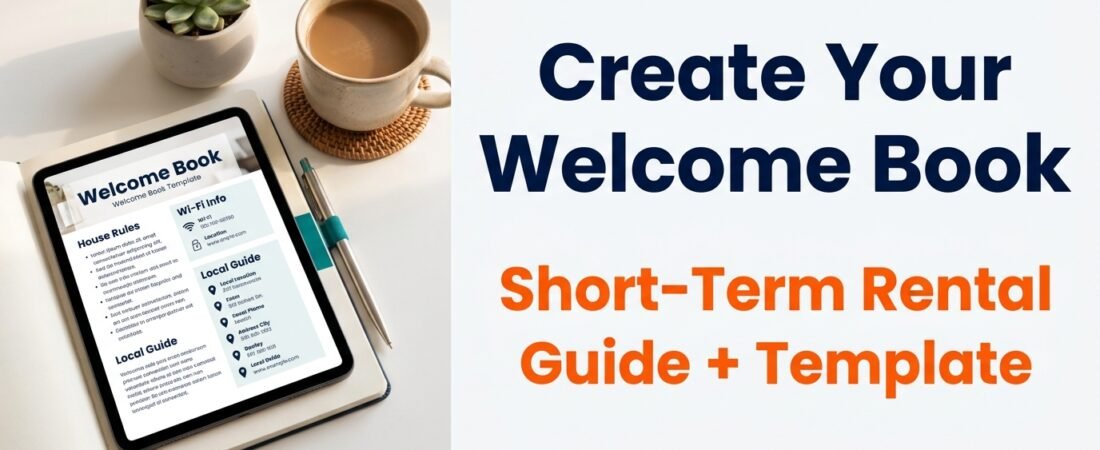
If you are a new short-term rental host, one of the most effective ways to reduce guest questions and help guests feel at home is to create a short-term rental welcome book. A well-made welcome book gives guests everything they need to check in, use the property, follow house rules, and explore the area. This guide walks you through exactly what to include, how to design it, and how to share it across platforms like Airbnb, Booking.com, Vrbo, and direct bookings. You will also find a free template to get started quickly.
Important note: Rules, safety requirements, platform settings, building or HOA rules, fees, taxes, privacy rules, and local short-term rental regulations can vary by location, platform, and property type. Always check what applies to your specific situation. The examples in this guide are for illustration only and do not replace professional legal or compliance advice.
Why a Welcome Book Matters for Short-Term Rentals
A welcome book is more than a nice gesture. It is a practical tool that helps guests find answers without messaging you. Many beginner hosts spend time answering the same questions about Wi-Fi passwords, check-in steps, parking, and checkout instructions. A welcome book puts all that information in one place. When guests can check in and check out independently, your hosting experience becomes smoother. One host shared that after adding a detailed welcome book, many bookings had guests who asked no questions at all because they had everything they needed before and during their stay.
A welcome book also helps you stay consistent across multiple platforms. You can reuse the same information on Airbnb, Vrbo, Booking.com, and direct booking websites, saving time and reducing the chance of outdated details. Before you finalize your welcome book, make sure your listing details are complete with our Airbnb listing setup checklist.
What to Include in Your Short-Term Rental Welcome Book
Your welcome book should cover everything a guest might need from the moment they book until after they check out. Below is a checklist of essential sections. Use it as a starting point and add items specific to your property.
- Check-in instructions: Step-by-step directions to the property, smart lock or key code, and any access details for gates, elevators, or parking.
- Wi-Fi network name and password: Display this prominently. Many guests ask for it first.
- House rules: Quiet hours, smoking policy, pet rules, guest limits, and any condo or HOA rules that apply. For a ready-to-use list, see our short-term rental house rules template.
- Parking information: Where to park, any permits needed, and restrictions.
- Appliance instructions: How to use the thermostat, TV, stove, washer/dryer, and any smart devices.
- Emergency contacts: Your phone number, local emergency services, nearest hospital, and a backup contact.
- Trash and recycling instructions: Where to dispose of trash, recycling bins, and pickup days if applicable.
- Checkout steps: What guests should do before leaving, such as locking doors, turning off lights, and starting the dishwasher.
- Local recommendations: Nearby restaurants, grocery stores, convenience stores, malls, attractions, parks, and public transport.
- Pool or amenity instructions: If you have a pool, gym, or other shared amenities, include rules, hours, and how to access them (e.g., voucher or key card).
- Smart lock passcode: If you use a smart lock, include the code and instructions for use.
- Guest limits: Clearly state the maximum number of guests allowed and any rules about visitors.
You do not have to include everything at once. Start with the most common questions guests ask and add more sections over time.
Must-Have vs. Nice-to-Have Information
When you are just starting out, focus on the must-have information that guests need to check in and feel comfortable. Nice-to-have details can be added later.
Must-Have
- Check-in instructions and access codes
- Wi-Fi password
- House rules (especially quiet hours and guest limits)
- Emergency contact numbers
- Parking instructions
- Checkout steps
Nice-to-Have
- Local restaurant and attraction recommendations
- Appliance manuals or quick-start guides
- Information about nearby public transport
- Laundry instructions
- Grocery delivery options
If you are on a budget, you can create a simple digital welcome book using a free tool like Google Docs or Canva. Print a physical copy only if it makes sense for your property.
How to Design Your Welcome Book
Your welcome book does not need to be fancy, but it should be easy to read and navigate. Here are some design tips for beginners:
- Keep it short: Aim for 2-4 pages of essential information. Too much text can overwhelm guests.
- Use headings and bullet points: Make it scannable so guests can find what they need quickly.
- Include photos: Add a photo of the property exterior, parking area, and key appliances to help guests orient themselves.
- Use a consistent format: If you use a template, stick to the same layout for each section.
- Make it digital-first: Most guests will read the welcome book on their phone. Save it as a PDF or use a platform like Airbnb’s guidebook feature.
- Update regularly: Check your welcome book every few months to ensure all information is still accurate, especially Wi-Fi passwords, check-in codes, and local recommendations.
How to Share Your Welcome Book Across Platforms
One of the biggest time-savers is reusing the same welcome book information across all your booking platforms. Here is how to do it:
- Airbnb: Use the native Guidebook feature in your listing settings. You can add sections for check-in, house rules, neighborhood, and more. You can also send a PDF as a message before check-in. For step-by-step check-in instruction examples, see our Airbnb check-in instructions guide.
- Booking.com: Add important information in the property description and use the messaging system to send a welcome message with a link to your digital welcome book.
- Vrbo: Similar to Airbnb, you can add details in the listing description and send a pre-arrival message with a PDF or link.
- Direct bookings: Include a link to your welcome book in the booking confirmation email and in a follow-up message a few days before arrival.
- Automatic guest messages: Many hosts use automated messaging tools to send the welcome book as a PDF or link right after booking and again before check-in. To save time, adapt our guest message templates for your welcome messages.
By reusing the same content, you reduce the risk of having outdated information on one platform. One host noted that they reuse the welcome book information across all platforms, which saves time and keeps everything consistent.
Common Mistakes to Avoid
Even with a good welcome book, there are pitfalls that beginner hosts should watch out for.
- Avoid promising things you cannot control: Do not promise that Wi-Fi will always be fast or that noise will never be an issue. For example, one host had a guest ask about Wi-Fi reliability. Normally it was fine, but during their stay there was a one-time internet interruption due to maintenance. The host had to clarify that it was not the usual experience. Instead, state what is typical and note that occasional interruptions can happen.
- Overloading with information: Too much text can make guests skip the welcome book entirely. Keep it concise.
- Forgetting to update: If you change the Wi-Fi password or smart lock code, update the welcome book immediately. Outdated information frustrates guests.
- Not including emergency contacts: Guests need to know who to call if something goes wrong. Always include your phone number and local emergency numbers.
- Ignoring local regulations: Some cities require you to display certain information, such as a business license number or trash pickup rules. Check local requirements.
Safety and Emergency Essentials
Your welcome book should include clear safety information. This is not just good practice; it may be required by local laws or your insurance policy.
- Emergency phone numbers: Police, fire, ambulance, and poison control.
- Location of fire extinguisher, first aid kit, and emergency exits.
- Instructions for smoke alarms and carbon monoxide detectors.
- What to do in case of a natural disaster (earthquake, hurricane, etc.) if relevant to your area.
- Nearest hospital or urgent care clinic address.
Do not include any medical items like medication or supplements in the welcome book or in the property. Guests should bring their own health products.
Budget-Conscious Beginner Advice
You do not need to spend money on a professional designer to create a welcome book. Here are low-cost options:
- Use a free template: Many online tools like Canva offer free welcome book templates. You can customize them with your property details.
- Create a simple Google Doc: Write your welcome book in Google Docs, save it as a PDF, and share the link. This is free and easy to update.
- Print a single copy: If you want a physical book, print one copy on standard paper and place it in a clear sleeve or binder. Laminate the cover for durability.
- Use platform-native features: Airbnb’s guidebook feature is free and already integrated into the app. You can add text and photos without any extra cost.
As you grow, you can invest in a more polished design, but a simple, clear welcome book is better than none. And if you’re on a budget, our free new host checklist can help you stay organized without extra cost.
What Not to Include in Your Welcome Book
Some things should never appear in your welcome book to avoid liability or guest confusion.
- Medical advice or health products: Do not suggest or provide medication, supplements, or vitamins. Guests should handle their own health needs.
- Promises about the property or experience: Avoid phrases like “always fast Wi-Fi” or “no noise ever” as they can create unrealistic expectations.
- Personal opinions about neighbors or management: Keep it professional.
- Outdated or incorrect information: Double-check all details before publishing.
Emergency Contact Information Section
Every welcome book should include a dedicated emergency contact section. This helps guests know exactly who to call and what to do in different situations. Include the following:
- Your primary contact number and a backup number (co-host, property manager, or trusted neighbor).
- Local emergency services: Police, fire, ambulance, and poison control.
- Nearest hospital or urgent care clinic with address and phone number.
- Building or HOA security contact if applicable, including after-hours numbers.
- Utility company contacts for power, gas, or water outages.
Keep this section at the beginning of your welcome book so guests can find it quickly. Update the numbers whenever you change property managers or if local services change.
What to Place in the Check-In Guide
The check-in guide is the most important part of your welcome book. It should be the first thing guests see. Include the following:
- Exact address and any special directions (e.g., gate code, building entrance, floor number).
- Smart lock or key box instructions with the current passcode.
- Parking details: Where to park, any permits, and time limits.
- Wi-Fi network and password in a prominent location.
- Your contact number for any issues during check-in.
Keep this section short and focused. Guests often read it while standing outside the property, so make it easy to follow.
Remote Host Backup Steps
If you manage your property from a distance, your welcome book becomes even more critical. Include backup steps for common situations:
- Smart lock battery failure: Provide a backup key or key code that works with a physical keypad. Include instructions for the guest to contact you if the lock does not respond.
- Internet or power outage: Explain that these events are rare but can happen. Provide a local contact number for the guest to call if the issue persists.
- Noise or neighbor complaints: Include a note that guests should contact you first if they receive a complaint, and that you will handle it with the building or HOA.
- Lost key or lockout: Provide a backup plan, such as a spare key with a neighbor or a lockbox code.
For remote hosts, having a local co-host or property manager on call can help resolve issues quickly. Include their contact information in the welcome book as well.
Building and Security Contact Workflow
If your property is in a building with a front desk, security gate, or HOA, include a clear workflow for guests:
- Building front desk or security: Provide the phone number and hours of operation.
- Gate or elevator access: Explain how to use any fobs, codes, or intercom systems.
- Package delivery: Tell guests where to receive packages and how to notify the front desk.
- Noise or neighbor issues: Instruct guests to contact you first, and you will handle communication with the building or HOA.
This workflow helps guests feel supported and reduces the chance of misunderstandings with building staff.
What Not to Promise to Guests
It is important to set realistic expectations in your welcome book. Avoid making promises that you cannot control. For example:
- Wi-Fi speed and reliability: State the typical speed and note that occasional interruptions can happen due to maintenance or weather.
- Noise levels: Mention quiet hours but do not promise that the property will always be silent.
- Guest satisfaction: Do not claim that every guest will be happy. Instead, focus on providing clear information and being responsive.
- Instant responses: Let guests know your typical response time, but do not promise an immediate reply.
One host learned this lesson when a guest asked about Wi-Fi reliability. Normally the connection was fine, but during their stay there was a one-time internet interruption due to maintenance. The host had to clarify that it was not the usual experience. By setting realistic expectations in the welcome book, you can avoid similar misunderstandings.
How to Keep Emergency Instructions Updated Across Platforms
Emergency contact information can change when you switch property managers, update your phone number, or when local services change. To keep your welcome book accurate:
- Set a quarterly reminder to review all emergency numbers and instructions.
- Update the master document first (e.g., Google Doc or Canva template), then copy changes to each platform.
- Use a shared folder for your digital welcome book so you only need to update one file.
- Notify guests before check-in if any emergency contact details have changed since their booking.
Keeping emergency information current helps guests feel safe and reduces confusion during stressful situations.
Save time with a ready-made template. The Guest Experience Pack includes a customizable welcome book template, check-in guide, house rules template, and more. It is designed for beginner hosts who want to provide a professional guest experience without starting from scratch.
Frequently Asked Questions About Short-Term Rental Welcome Books
What is a short-term rental welcome book?
A welcome book is a guide that provides guests with all the information they need about your property, including check-in instructions, house rules, Wi-Fi details, local recommendations, and emergency contacts. It helps guests feel prepared and reduces the number of questions you receive.
Do I need a physical welcome book or a digital one?
Digital is usually better because it is easy to update and share. You can send a PDF or link before check-in. A physical copy can be a nice backup, but most guests will read it on their phone.
How often should I update my welcome book?
Update it whenever something changes, such as Wi-Fi password, smart lock code, parking rules, or local recommendations. Also review it every few months to ensure all information is still accurate.
Can I use the same welcome book for Airbnb and Vrbo?
Yes. You can create one master welcome book and reuse the content across all platforms. Just make sure to adjust any platform-specific details like check-in instructions if they differ.
What if guests still ask questions after receiving the welcome book?
That is normal. Some guests prefer to confirm details directly. Use their questions as feedback to improve your welcome book. If multiple guests ask the same thing, add that information to the book.
Disclaimer: The information in this article is for educational purposes only and does not constitute legal, tax, or platform compliance advice. Always verify requirements with your local authorities, insurance provider, and booking platforms.